Additional Endpoints
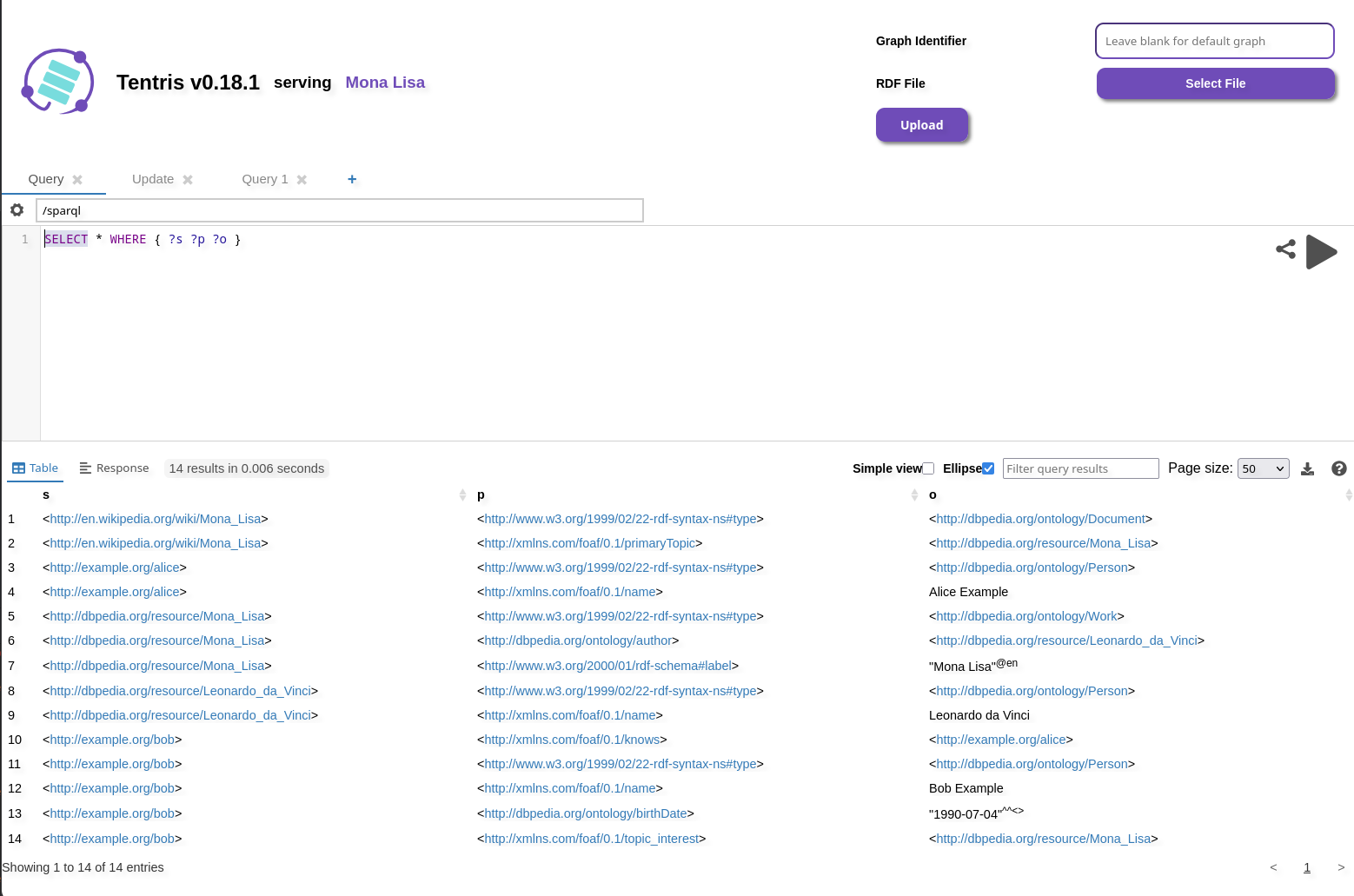
Tentris UI (/ui)
Tentris' web UI for querying and dataset management. The query editor used by the UI is based on Yasgui.
Login UI (/login)
If auth is enabled in the configuration file, users need to log in to run queries or updates.
⚠️ Warning: When using plain HTTP (not HTTPS) all communication occurs in plain text. This also applies to your username and password.
Login in the Browser
The Query Web UI automatically shows the login UI, if there are not any stored sessions.
The user can be changed in the /login page.
Login on the Terminal
For logging in from the terminal, refer to the Cookies section of the authentication chapter.
Info Endpoint (/info)
Tentris exposes version information about itself and its core components (rdf4cpp, libtentris, hypertrie).
The endpoint's supported formats include text/turtle, application/ld+json, and application/rdf+xml.
Usage
The endpoint is intended to be used by an RDF-enabled application. To retrieve Tentris' version information, you can use
curl and jq.
curl -sL -H "Accept: application/ld+json" http://localhost:9080/info | jq -r '.["@graph"][] | select(."spdx:name" == "tentrisdb") | ."spdx:packageVersion"'
Similarly, the version of a single component can be retrieved (e.g., libtentris, rdf4cpp, hypertrie).
curl -sL -H "Accept: application/ld+json" http://localhost:9080/info | jq -r '.["@graph"][] | select(."spdx:from"."spdx:name" == "libtentris") | ."spdx:from"."spdx-software:packageVersion"'
Note: The info endpoint exposes only versions of core components. A complete list of Tentris' third-party components is available via a subcommand of the binary.
tentris thirdparty
Health Endpoints
Tentris exposes rudimentary liveness status. Both endpoints are live immediately at startup.
/health/live
Reports HTTP status 200 (OK) when the server is starting or running.
curl --fail -G "http://localhost:9080/health/live"
/health/ready
Reports HTTP status 503 (SERVICE UNAVAILABLE) during startup, and HTTP status 200 (OK) when Tentris is ready to accept requests.
curl --fail -G "http://localhost:9080/health/ready"
MCP Endpoint (/mcp)
The MCP endpoint lets AI agents explore and query your data. For setup and authentication, refer to Model Context Protocol.